
An iPhone user in Chennai genuinely watches “Storage Almost Full” warnings pop up constantly on their phone, since Apple’s free iCloud tier gives you just 5GB, barely enough for a few months of photos before you’re forced to either delete memories or start paying monthly. Meanwhile, their Android-using colleague genuinely enjoys triple that free storage without spending a rupee, purely because Google Drive’s free tier starts considerably more generously. This exact gap genuinely shapes how differently these two cloud storage giants feel from day one, before you’ve even considered which ecosystem you’re actually invested in.
Here’s why this comparison genuinely deserves careful thought rather than simply defaulting to whichever service came pre-installed on your phone: Google Drive and iCloud genuinely serve fundamentally different purposes, one prioritises cross-platform collaboration and generous free storage, the other delivers seamless, automated backup specifically within Apple’s ecosystem. Understanding exactly which philosophy matches your actual device setup and daily workflow matters enormously before you commit to paying for either platform’s premium storage tiers.
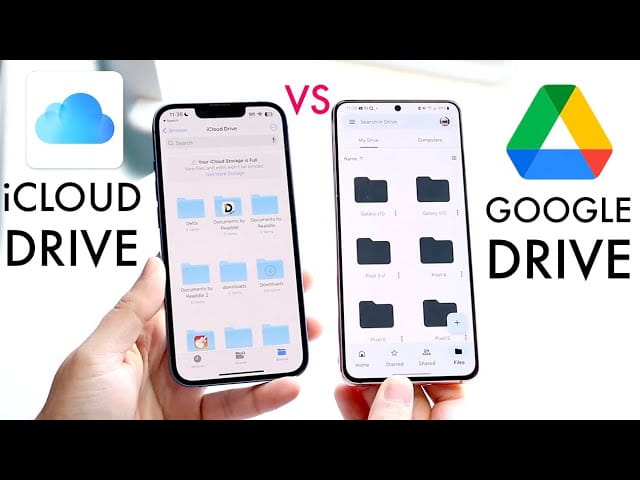
Why Google Drive Genuinely Wins on Free Storage and Cross-Platform Access
This is genuinely Google Drive’s most immediate, practical advantage for most Indian users. Drive’s free tier gives you 15GB compared to iCloud’s considerably smaller 5GB allocation, a genuine difference many users find too limiting for anything beyond basic use. Google Drive also genuinely stands out for cross-platform compatibility, working smoothly across Android, iOS, Windows, and Mac, while iCloud, though technically accessible on Windows through a web browser, genuinely feels most natural specifically within Apple’s own device ecosystem.
For India specifically, where the smartphone market remains overwhelmingly Android-dominated, this cross-platform flexibility genuinely matters enormously, Google Drive genuinely works as your default storage regardless of whether your family members or colleagues use iPhones, Android phones, or Windows laptops, without requiring everyone to be locked into the same brand ecosystem.
Why iCloud Genuinely Delivers Seamless, Automatic Backup for Apple Users
It’s genuinely worth being fair to iCloud here, since it clearly excels at what it’s specifically designed to do. iCloud is genuinely ideal for users who want seamless backup, encrypted storage, and automatic syncing across Apple devices specifically, if you own an iPhone, iPad, and Mac together, iCloud genuinely creates an invisible, effortless backup experience that requires virtually no manual intervention from you. Photos, contacts, messages, and app data genuinely sync automatically across your entire Apple device collection without you needing to think about it.
This automated simplicity genuinely matters enormously for users who specifically don’t want to manage their own backup routine manually, iCloud genuinely handles this quietly in the background, making it the practical, hands-off choice for anyone fully invested in Apple’s ecosystem rather than juggling devices across multiple brands.
Why Real-Time Collaboration Genuinely Favours Google Drive Considerably
This matters enormously for students, professionals, and anyone working on shared documents regularly. Google Drive’s real-time co-editing in Docs, Sheets, and Slides makes group work genuinely simple, multiple people can edit the same document simultaneously, seeing each other’s changes live, exactly the kind of collaborative workflow that Indian students working on group projects or professionals collaborating across teams genuinely rely on daily. iCloud genuinely lacks this same depth of native collaborative editing, making Google Drive the clearly stronger choice specifically for anyone whose cloud storage needs extend beyond personal backup into genuine team collaboration.
Understanding the Genuine Pricing Comparison
Both platforms genuinely offer similar entry-level pricing for smaller storage tiers, iCloud starts around $0.99 monthly for 50GB, while Google Drive’s equivalent 100GB tier runs around $1.99 monthly. At the 200GB tier, both platforms genuinely charge comparable pricing around $2.99 monthly, and for larger capacity needs, both offer 2TB plans around $9.99 monthly. This means for most typical storage tiers, pricing itself genuinely isn’t the deciding factor, the real difference genuinely comes down to which ecosystem and collaboration features actually matter for your specific daily use.
For users needing genuinely massive storage beyond 2TB, Google Drive extends considerably further, offering plans reaching up to 30TB, while iCloud’s upper tier tops out around 12TB, making Google genuinely the stronger choice for anyone with truly extensive storage needs beyond typical personal use.
Why Security Philosophy Genuinely Differs Between the Two Platforms
This is worth understanding honestly rather than assuming either platform is universally more secure. iCloud genuinely secures data with strong encryption, including end-to-end encryption options and two-factor authentication, and Apple explicitly states it doesn’t use personal iCloud content for advertising purposes. That said, some metadata remains under standard encryption rather than full end-to-end protection, and shared content isn’t always end-to-end encrypted either. Google Drive encrypts files in transit and at rest but doesn’t offer end-to-end encryption by default the way iCloud’s Advanced Data Protection setting does, meaning users specifically prioritising maximum privacy protection should genuinely enable iCloud’s advanced security settings if this concern outweighs other considerations.
Why Your Device Ecosystem Genuinely Should Drive This Decision
This is genuinely the most practical framework for choosing between these two services. If you use Android devices, need genuine cross-platform flexibility, or regularly collaborate on shared documents, Google Drive genuinely offers the stronger overall fit given its generous free storage and superior collaborative tools. If you’re fully invested in Apple’s ecosystem, iPhone, iPad, and Mac together, and want automatic, invisible backup without needing to think about it, iCloud genuinely delivers the more seamless, purpose-built experience specifically for that ecosystem.
Frequently Asked Questions
Q1. Is Google Drive’s free storage genuinely enough for typical everyday use in India?
For most users, yes genuinely, 15GB comfortably handles documents, moderate photo storage, and typical files, though heavy photo and video users will likely need to upgrade to a paid tier eventually regardless of which platform they choose.
Q2. Can I genuinely use iCloud effectively if I have a Windows laptop but an iPhone?
Yes, genuinely, iCloud offers a web interface accessible through any browser, letting you download, upload, and organise files even from non-Apple devices, though the experience feels considerably more integrated and automatic specifically on Apple hardware.
Q3. Which platform genuinely offers better value for collaborative work with colleagues or classmates?
Google Drive genuinely wins here decisively, its real-time co-editing in Docs, Sheets, and Slides makes simultaneous group editing straightforward, a collaborative depth iCloud simply doesn’t match natively.
Q4. Should I choose iCloud specifically for better privacy and security, or does Google Drive offer comparable protection?
If maximum privacy is your priority, iCloud with Advanced Data Protection enabled genuinely offers stronger end-to-end encryption options, though Google Drive still provides solid standard encryption in transit and at rest, adequate for most typical personal and professional use.